IPTV NEXTGEN
×
Z
Zilio IPTV
✓ Fully Compatible

The Best IPTV Subscription
for NextGen IPTV Player

Zilio delivers Xtream Codes straight to your inbox. Open NextGen IPTV Player, paste three credentials, and stream 20,000+ channels in 4K on your iPhone, iPad, and Apple TV. Setup takes under 60 seconds.

20,000+ channels 4K · Full EPG · Catch-up Xtream Codes — instant email iPhone · iPad · Apple TV
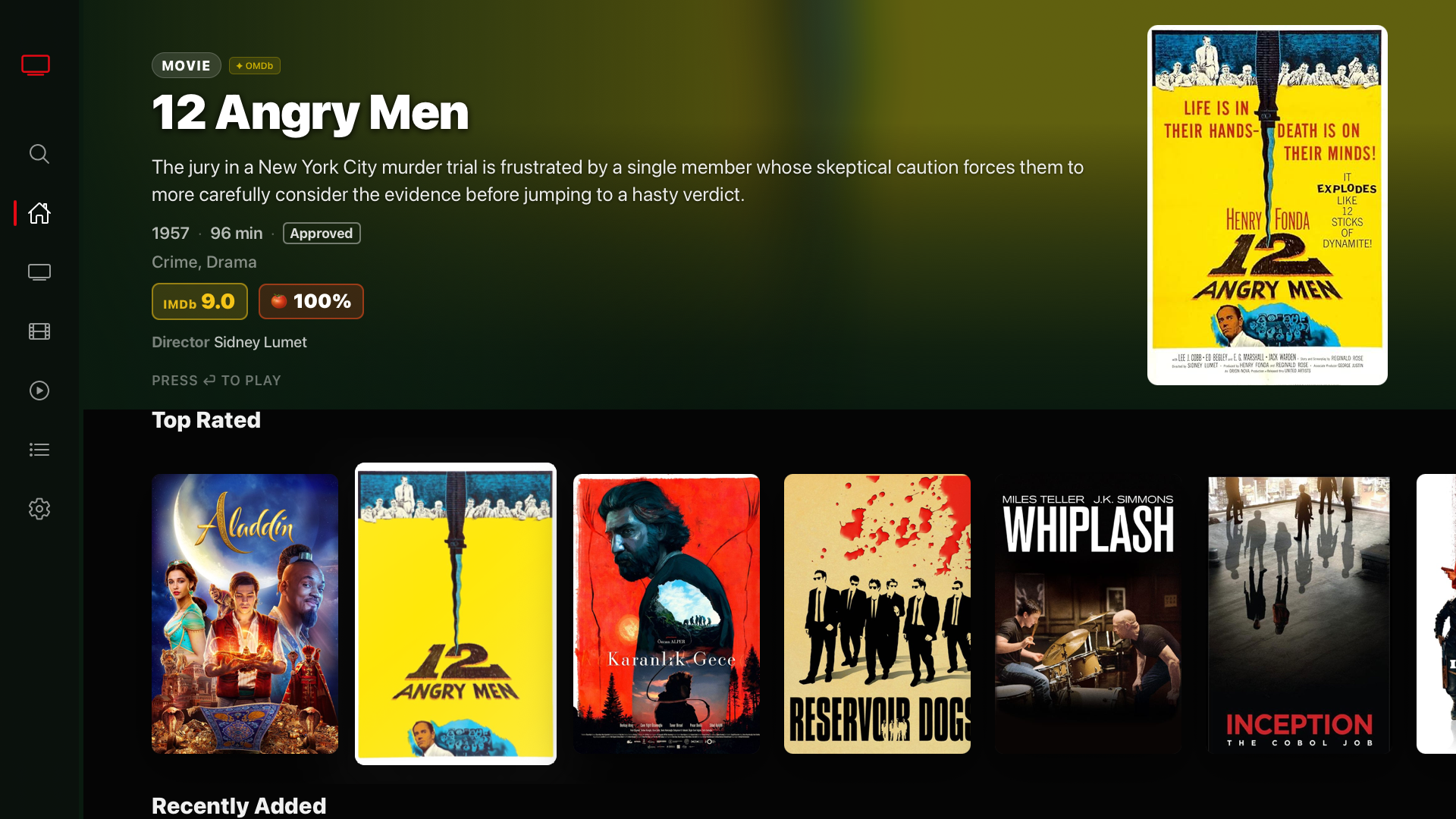
NextGen IPTV Player showing Zilio content — VOD library with movies on Apple TV
📺 NextGen IPTV Player — VOD Library via Zilio
What is NextGen IPTV Player?

NextGen IPTV Player is a high-performance, native IPTV app built specifically for Apple devices. Available on iPhone, iPad, and Apple TV, it supports both Xtream Codes API and M3U playlists and features a premium Smart Hub interface — the same experience you'd expect from a native Apple app, purpose-built for IPTV.

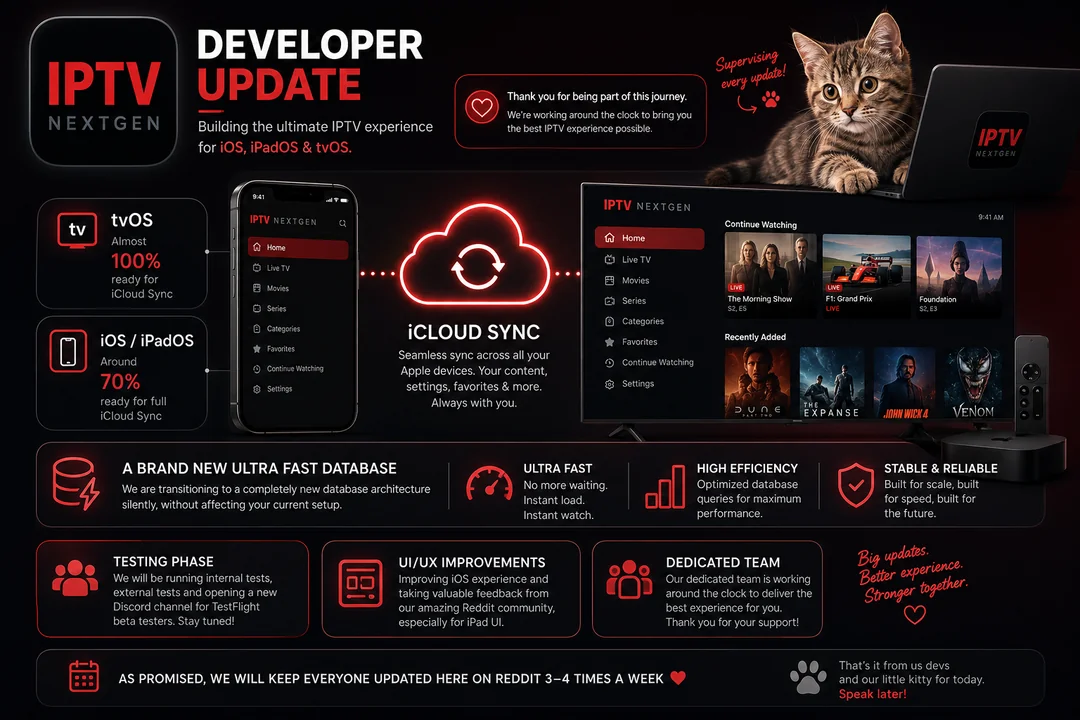
NextGen IPTV Player v2.0 developer update — iCloud Sync across iOS, iPadOS, and tvOS

NextGen IPTV Player v2.0 — iCloud Sync rolling out across iOS, iPadOS, and tvOS

🏠
Smart Hub v2.0
Unified home screen showing Live TV, Movies, Series, and Favorites in a single premium interface
☁️
iCloud Sync
Settings, favorites, and continue-watching synced seamlessly across iPhone, iPad, and Apple TV
📺
Native tvOS App
Purpose-built Apple TV experience with full remote support — not a phone app stretched to the big screen
Ultra-Fast Database
New database architecture delivers instant channel load and instant playback — no waiting around
🔐
Xtream Codes Login
Native Xtream API support gives you Live TV, VOD, Series, and EPG from a single login — no M3U file needed
🎬
VOD & Series
Full movie and series library with metadata, ratings, and cover art — browse exactly like a streaming service

Up and Running in 3 Steps

From zero to 20,000+ channels on your Apple device in under 5 minutes.

1
Choose a Zilio plan and get your Xtream Codes
Pick any plan — 4K Annual ($55/yr) is the most popular for Apple TV users. After checkout, your activation email arrives in minutes with three things: your Server URL, Username, and Password. Keep that email open for Step 3.
✓ Credentials arrive in under 5 minutes
2
Download NextGen IPTV Player from the App Store
Available free on iPhone, iPad, and Apple TV. Search "NextGen IPTV Player" in the App Store or use the link below. The app is the same on all three platforms — your iCloud account syncs everything between devices automatically once you log in.
Download on the
App Store
3
Add your Zilio credentials to NextGen IPTV Player
Open the app. Tap the + icon or go to Add Playlist and select Xtream Codes API. Enter your three credentials from the Zilio email:
Server URL: http://your-server.com:8080
Username: your_username
Password: your_password
Tap Save. NextGen IPTV Player loads your full channel list, VOD library, and EPG automatically. The iCloud Sync feature then makes all of this instantly available on every other Apple device connected to your account.
✓ Live TV + VOD + Series + EPG — all from one login

Works on All Your Apple Devices

One Zilio subscription. Every Apple screen covered.

📱
iPhone
iOS 16+
✓ Supported
📟
iPad
iPadOS 16+
✓ Supported
📺
Apple TV
tvOS 16+
⭐ Best Experience
🔥
Firestick
Via TiviMate
✓ Supported
🤖
Android TV
Via TiviMate
✓ Supported
💻
Windows / Mac
Via VLC / Kodi
✓ Supported

Plans for Every Apple TV User

One annual subscription covers all your Apple devices through NextGen IPTV Player's iCloud Sync — no separate subscriptions per device.

1 Month
$15
one-time · no renewal
Get 1 Month
1 connection · HD / 4K
Most Popular
12 Months — Best Value
$55
/year
= $4.58 per month
4K quality guaranteed
20,000+ channels
Full EPG + catch-up TV
Xtream Codes delivery✓ Instant
All Apple devices
24h free trial first
Get 4K Annual Plan
2 Years
$90
= $3.75/mo · Save even more
Get 2-Year Plan
Everything in Annual · 2 years

All plans include a 24-hour free trial — test on NextGen IPTV Player before you commit. Not satisfied? You owe nothing.

Why Zilio + NextGen IPTV Player is the Best Setup for Apple Users

📨

Instant Xtream Codes — No Wait

Zilio delivers your Server URL, Username, and Password by email within minutes of purchase. No manual activation, no support ticket, no waiting for a human to flip a switch. Your credentials are ready before NextGen IPTV Player finishes downloading.

☁️

One Login, All Your Screens

Enter your Zilio credentials once in NextGen IPTV Player on your iPhone. iCloud Sync carries your entire setup — channels, favorites, settings, continue-watching — to your iPad and Apple TV automatically. No re-entering credentials per device.

🏎️

Infrastructure Built for 4K on Apple TV

Apple TV users demand the sharpest picture. Zilio runs on Hetzner dedicated servers with Cloudflare CDN edge distribution — the same infrastructure that delivers consistent 4K without degrading during peak match nights. NextGen's native tvOS rendering makes the most of every bit.

📺

Full EPG + VOD Inside the Smart Hub

Zilio's Xtream Codes API provides complete EPG data, VOD library metadata, and series information. NextGen IPTV Player's Smart Hub presents all of it with cover art, ratings, and browsable categories — closer to Netflix than a raw channel list.

Frequently Asked Questions

Does Zilio IPTV work with NextGen IPTV Player?
Yes. Zilio delivers Xtream Codes — a Server URL, Username, and Password. NextGen IPTV Player supports Xtream Codes login natively. Add your credentials once and the full channel list, VOD library, and EPG load automatically inside the app's Smart Hub.
How do I add Zilio to NextGen IPTV Player?
Open NextGen IPTV Player → tap the + icon → Add Playlist → Xtream Codes API. Enter the Server URL, Username, and Password from your Zilio activation email. Tap Save. Your 20,000+ channels and VOD library load in about 60 seconds.
Does iCloud Sync work with Zilio credentials?
iCloud Sync is a feature of the NextGen IPTV Player app. Once you enter your Zilio Xtream Codes on one Apple device, NextGen's iCloud Sync (rolling out in v2.0) syncs your settings, favorites, and continue-watching list to all your other Apple devices. You do not need to re-enter credentials on each device.
Which Zilio plan is best for Apple TV + iPhone + iPad?
The 4K Annual Plan ($55/yr) is the most popular choice for Apple users. It covers all devices — one subscription works across iPhone, iPad, and Apple TV simultaneously through NextGen IPTV Player's Xtream Codes login. The 2-Year Plan ($90) gives the best long-term value at $3.75/month.
Can I try Zilio before paying for a year?
Yes — all Zilio plans include a 24-hour free trial. Use it to test the streams on NextGen IPTV Player on your actual Apple TV or iPhone during a real match or show. If performance is not what you expected, you pay nothing. If it is — which we expect it will be — you continue with the annual plan.
Is NextGen IPTV Player free?
NextGen IPTV Player is available as a free download on the App Store for iPhone, iPad, and Apple TV. You provide your own IPTV subscription credentials — like Zilio's Xtream Codes — to access content. The app itself does not include any channels or content.

Ready to Stream on Every Apple Device?

Get Zilio, open NextGen IPTV Player, paste three credentials. That is the entire setup. 20,000+ channels in 4K waiting for you.

No card required during trial · Cancel anytime · Instant email delivery

Related Guides